Amazon S3 - Simple Storage Service#
- 001 - aws-s3
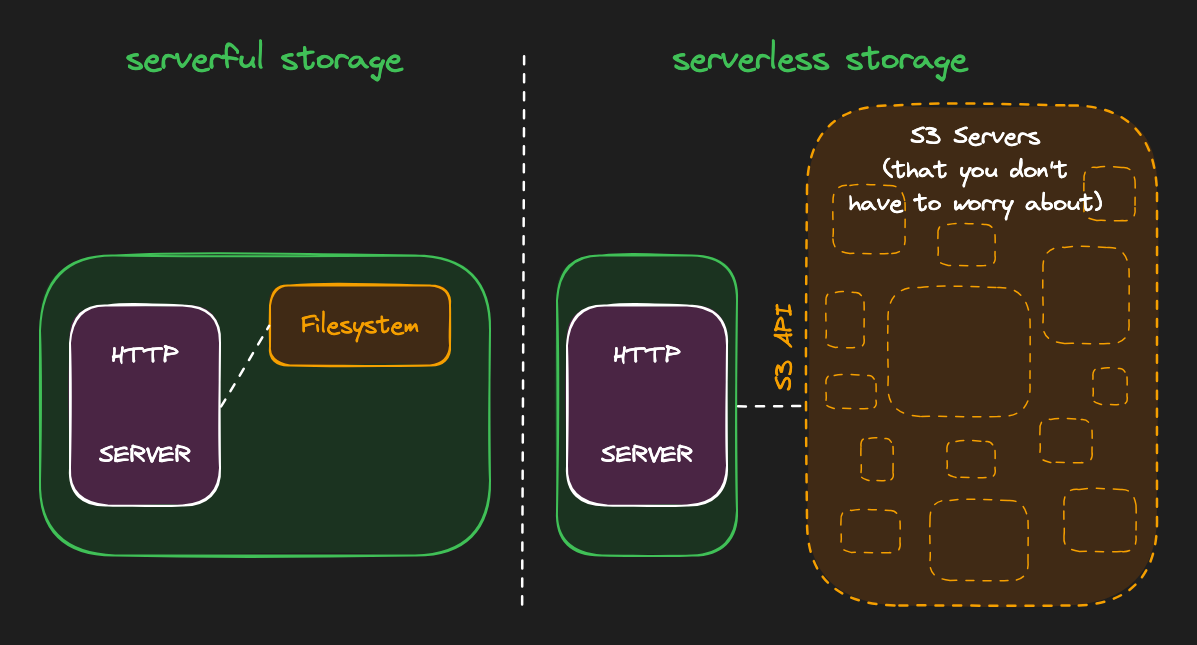
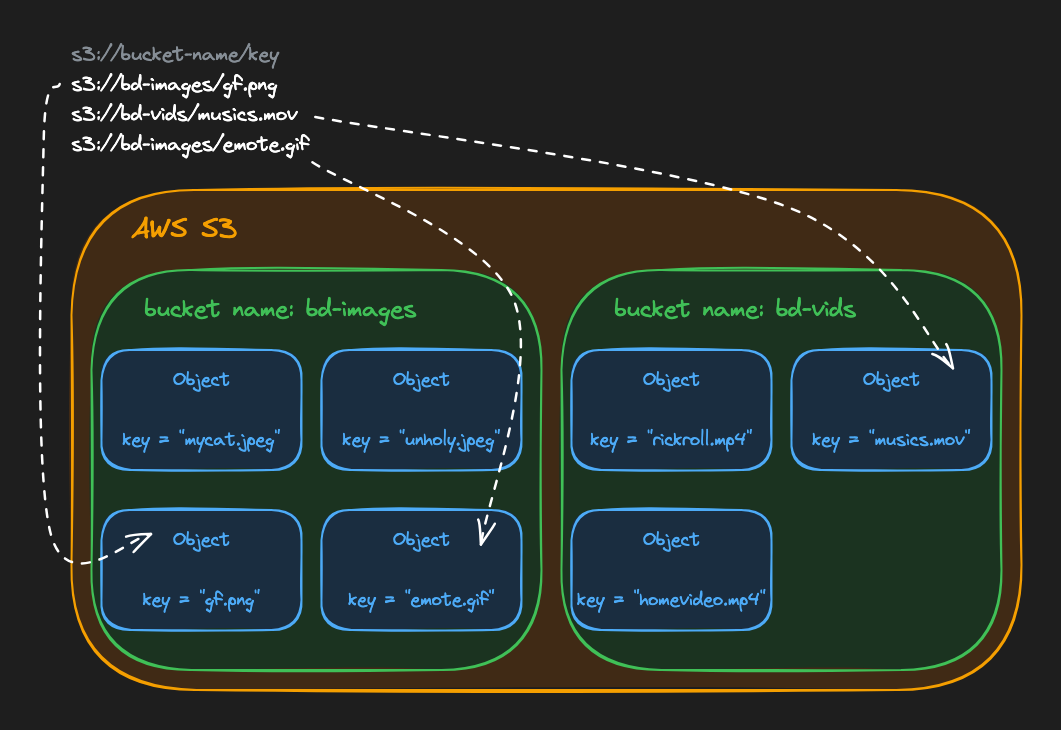
- 002 - aws-s3-bucket = The bucket is the highest level of organization in S3; it’s a container for storing objects.
- 003 - aws-s3-objects
S3 Lifecycle#
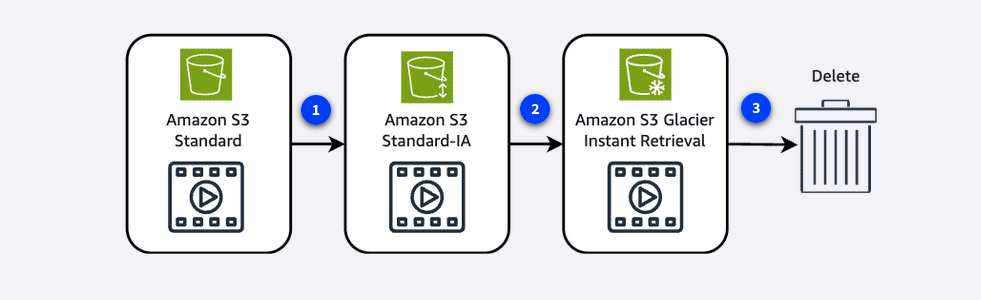
To avoid manually managing your object storage tier configurations, you can use S3 Lifecycle configurations to automate the process. When you define a lifecycle configuration for an object or group of objects, you can choose to automate between two types of actions, as follows:
Transition actions: define when objects should transition to another storage class.
Expiration actions: define when objects expire and should be permanently deleted.
For example, you might transition objects to S3 Standard-IA storage class 30 days after you create them. Or you might archive objects to the S3 Glacier Deep Archive storage class 1 year after creating them.
Use cases
The following situations are candidates for the use of S3 lifecycle configuration rules:
Periodic logs: If you upload periodic logs to a bucket, your application might need them for a week or a month. After that, you might want to delete them.
Data that changes in access frequency: Some documents are frequently accessed for a limited period of time. After that, they are infrequently accessed. At some point, you might not need real-time access to them. However, your organization or regulations might require you to archive them for a specific period. After that, you can delete them.