Virtual Private Cloud (VPC)#
we need a network “box” to put cloud resources into. AWS calls this box a VPC, or Virtual Private Cloud.
- We choose what region this virtual network will be in.
- We choose how many things we plan to put into it, i.e., the size of the address space.
This box (the VPC) is really just a group of IP addresses within a region we choose.
Sometimes we want multiple VPCs, for example to separate production resources from development servers. Or we might want some servers in a primary location and others in a backup region.

Running out of addresses is not fun. The only thing worse is bike shedding with a fellow engineer about what “the perfect amount” is. It’s best to aim for what you need plus a bit of a buffer. Adding new addresses later isn’t as annoying as it used to be.
PatientPing#
During this documents, the infrastructure we create will be for a fictional company you’ve recently joined called PatientPing. It’s a patient management application for local doctors and dentists. It allows them to keep track of appointments, schedule follow-ups, send automated reminders, etc.
Assignment#
Cost check: There are no costs associated with empty VPCs.
Create a VPC named patientping with CIDR 10.0.0.0/22.
In the AWS Console, ensure your region is set to “N. Virginia (us-east-1)” using the dropdown in the top-right corner.
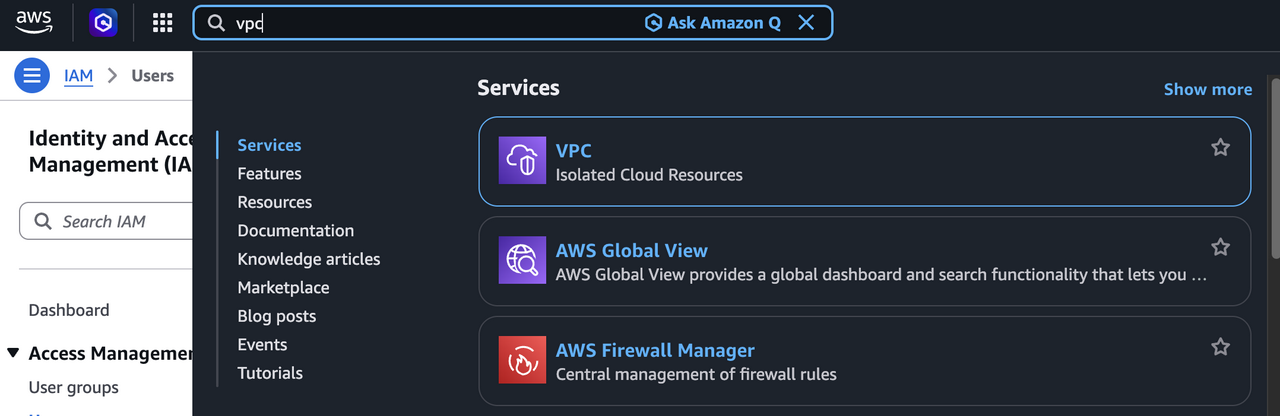
Navigate to the “VPC” section using the search bar at the top.

Select “Your VPCs” in the left-hand menu. You’ll notice that you already have a “default” VPC, but we’ll be making a dedicated one for this document.
Click “Create VPC” and use the following settings:
- “VPC Only”
- Set
patientpingas the name tag - Use an IPv4 CIDR of
10.0.0.0/22 - Leave all other default settings
Click the “Create VPC” button at the bottom of the form to finalize it.
Go back to the “Your VPCs” list and verify that the new
patientpingVPC is there.
Tip#
If you want to use the AWS CLI instead:
aws ec2 create-vpc \
  --cidr-block '10.0.0.0/22' \
  --tag-specifications "ResourceType=vpc,Tags=[{Key=Name,Value=patientping}]"