Identity and Access Management (IAM)#
- 001 - create-iam-user-and-group = ilk admin IAM kullanıcısı ve grubunu oluşturma
- 002 - identity-and-access-management
At some stage in building a project on AWS, you’ll need to give other people (or perhaps automated systems) access to your cloud resources as well. IAM is how AWS controls access to resources: who can log in, and what they can do once they’re in.
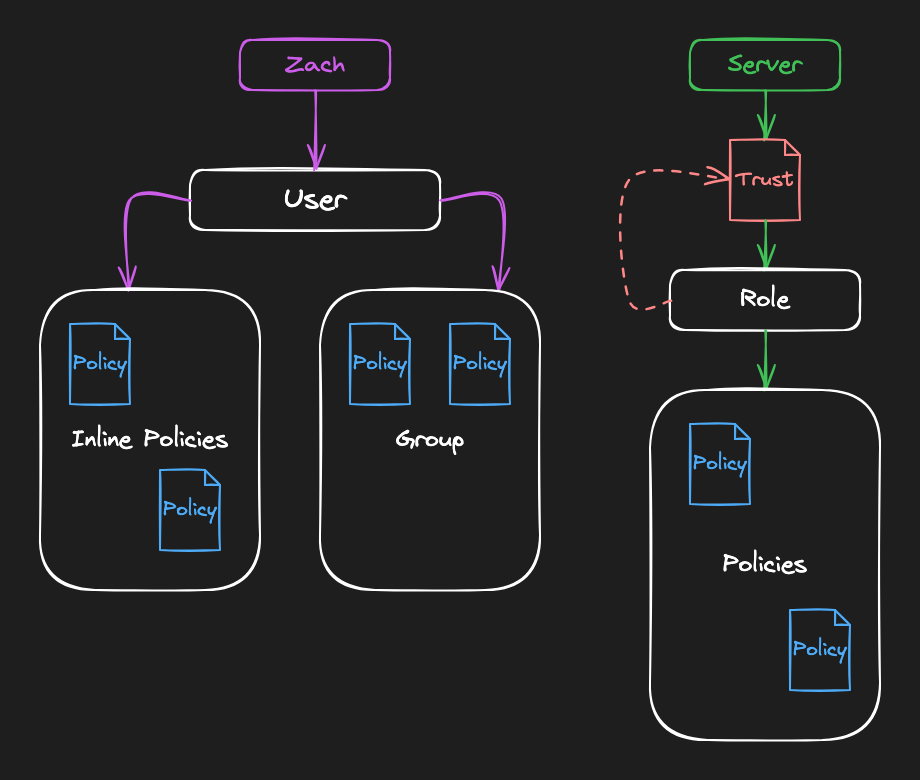
- 003 - create-iam-user = Each user gets a username/password or API keys to access AWS. Users are long-lived identities: they stick around until you delete them. Once you create a user and give them credentials, those credentials will work until they expire or you revoke them.
- 004 - inline-policies-iam-user = Policies allow or deny actions on specific resources.
- 005 - iam-groups = While inline policies are attached directly to a single user, the preferred way to manage permissions in AWS is to create groups and give them the policies (sometimes called customer-managed policies).
- 006 - iam-roles = IAM has roles. A role is a temporary identity that can be used or assumed by trusted parties.
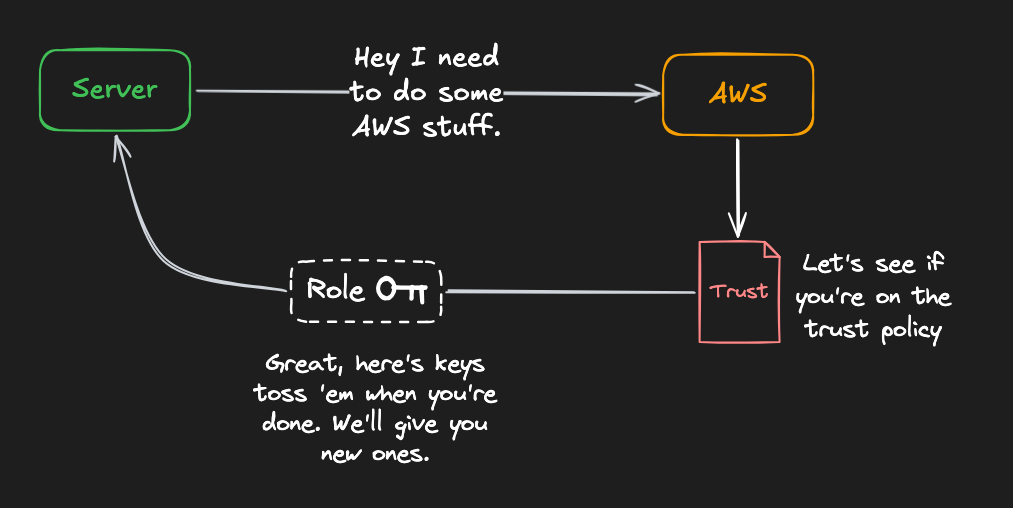
- 007 - aws-iam-deny-policies = explicit Deny her zaman kazanır
- 008 - aws-ssm-parameter-store = centralized safe where you can keep configuration data, secrets, and parameters that your applications need
- 009 - accessing-ssm-parameters-from-ec2 = uzak sunucumun ssm parametlerine iznini vermek
- 010 - use-ssm-from-ec2